Adding Your Laser to LightBurn
- by halim yahya

Manually adding a Laser in Lightburn
- by halim yahya
The Ultimate Guide to CO2 Laser Engraver Maintenance
- by halim yahya
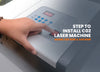
8 Steps to Install a Laser Machine
- by halim yahya
Laser Machine Installation Guide (320 Basic & 640 Basic Models)
The installation process for the 320 Basic and 640 Basic laser cutting machines is similar, with potential variations in hose and plug positions depending on the model.
Step-by-Step Guide:
-
Connect Water Pump: Attach the two white hoses. One goes to the water pump, the other to the water container (filled to 3/4).
-
Connect Air Pump: Attach the "Air Assist" hose to the silver air pump for smooth cutting and engraving.
-
Install Air Ventilation: Set up the ventilation system at the back to expel dust and smoke.
-
Connect Power Cable: Plug into the machine, but avoid sharing with high-power devices.
-
Obtain Machine ID: Find the ID number on the motherboard.
-
Connect USB Cable: Link the machine to your computer.
-
Insert Orange Dongle: Ensure the dongle is connected for machine operation.
-
Turn on the Machine: The setup is complete and your CO2 Laser Engraving Machine is ready to use.
Now, you're all set to start creating your products!